General

37 Comments

Sort by:

I posted the book that was made as a FB story. People liked it and so do I! What a cool way to present our work!

3
Nick Friend10h ago

Susan — thank you, that is exactly what it is for. Worth making another when you get a moment: the page turning is fixed since you posted, and you can now pick the typeface the whole book is set in.

0

Could we get a class on how to make our own ART BOOKS? The instructions are a little difficult.

Robin Lyle

3

Absolutely brilliant!!

2

This is brilliant!

2
TOM ANG18h ago

Thank you so much for creating this feature! Love it, and the flexibility.

One small glitch: from the cover, clicking on the 'next' button returns the cover and needs another click to turn to first page/spread.

Small things, my personal taste: the drop from top to image in portrait format feels too tight. Also tracking on the labels, especially serif itals: a touch looser would look good.

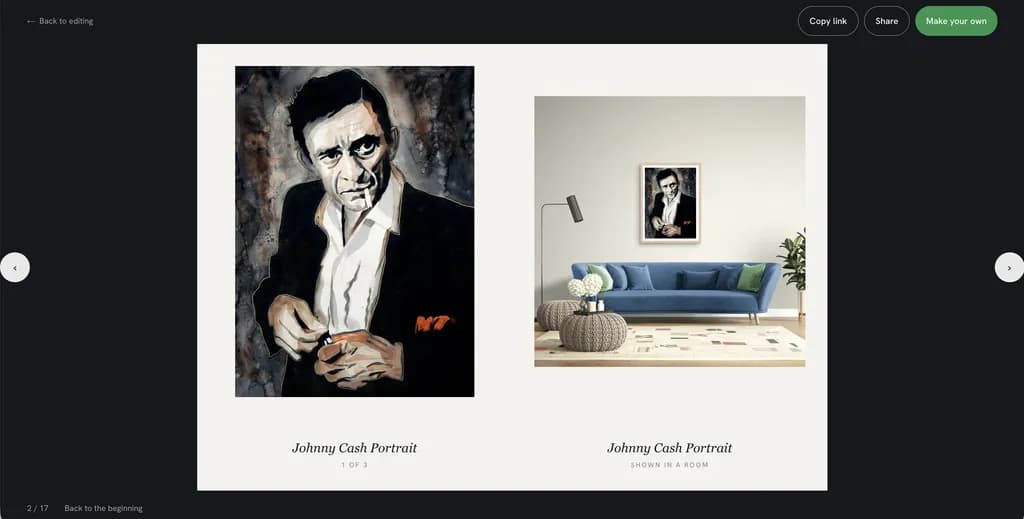
It'd be super great to be able to add room mockups from within the book builder interface or have I missed something? The mockups in the sample book have a 'ROOM' tag, so perhaps that's coming!

Thanks again!

1
Nick Friend10h ago

Tom — useful comments, and three of the four are now live.

The Next button. Fixed, and it was worse than you described. On a desktop the first press advanced the page counter but not the page, because the book was quietly rebuilding itself and landing back on the cover. One press turns the page now, and the counter counts spreads rather than individual leaves — it used to skip a number on every turn.

The tracking on the serif italics. Loosened, exactly as you asked. There is a reason your eye caught it: the book had no chosen typeface at all. Every title and caption was falling back to whatever serif your device happened to own, so you were most likely looking at Georgia italic, which is tight at that size. That is now fixed — and it turned into something better. You can choose from fifteen faces in the builder under Type: Garamond, Bembo, Caslon, Baskerville and Minion among the book faces, a true Bodoni and a Playfair for covers, and Franklin Gothic and Futura for the museum-wall look.

Room mockups in the builder. Already there, and I am sorry it was not obvious — that is on me, not you. In the image picker there is an “In a room” tab next to “Your artwork”. Pick a piece, then pick the room.

The drop from the top of the page to the image. Still open, and I want to be honest about it. I have made the image noticeably larger and the space around it more even, but I have not changed the top margin specifically. Now that the type has changed I would genuinely value your eye on it again.

2
TOM ANG6h ago

Hey, Sir: that is FANTASTIC responsiveness! Thank you! This is fun!

Next button: much better, but I see a flash of vertical scroll bar at each page turn (in Brave and Opera) that makes the page jitter to left and back. The perfectionist in you may like to tidy that up.

Tracking etc. choice of fonts etc. is totally FAB! Thank you. Tracking etc. indeed better. (I think Arthelper was grabbing New York). Love the choice you offer, especially my faves of Garamond and .

One layout issue: on spreads, we don't need to repeat title of artwork on recto, but of course for single page, that's needed. Conditional rule?

Room mockups: SUPERB! Workflow took a bit of working out, but got it! Perhaps you could add a line at top like 'To add a room mockup: select your artwork, then click 'In a room'.

Drop: For my taste the combination of a drop that is still a bit tight plus your enlargement makes the portrait-format images feel a little too big to be opposite the square room mockup. Those proportions might work if room mockup was on verso, artwork recto. But that's a print book man talking; on tablets/phones I guess you don't want to have too much air between pages and you want the artwork to scroll on first. A larger face might balance but I think you have the sizes right.

0

Thank you. I edited it and shared it to my facebook and pinterest pages

1

I have already made a series of books of my works.

These look very classy, though I don't necessarily agree with the rationale for deciding which of my works should be in it, so it's nice to see you can make your own too.

I look forward to sharing it on my social media

1
Nick Friend10h ago

Lynda — fair, and part of what you were reacting to was a bug rather than taste. Every auto-made book was using the cover painting as its first page too, so a piece appeared twice in a row and the selection looked thinner than it was. That is fixed for new books.

The rest is exactly why the builder exists — you can create your own books exactly how you want, the works and the order are yours to set, and there is now a walkthrough for it inside the app. If the automatic choice still reads wrong to you after that, I would like to hear why; the rules behind it are ours to change.

1

Sounds great!

0

I love this & I would have posted it but I am the same images used . Where do I find the instructions to make my own?

1
TOM ANG18h ago

Click the green button 'Make your own' top right of web page for your sample book. That takes you to the book builder interface.

2
Nick Friend10h ago

Janice — two answers, and thank you for both.

The repeated images: you were right and it was a bug. Every auto-made book was putting the cover painting on the first page as well, so you met the same piece twice in a row. Fixed — make a new book and you will see the difference. Books already made keep their pages.

The instructions: there are now walkthrough videos. A full overview on the front page under How it works, and shorter ones inside the app on the screens they explain — the one on building a book is the one you want.

And thank you Tom Ang for jumping in with the green button before I got here.

0

Love this feature brilliant!

1

Awesome😍

1

I like the Art Book feature. I just realized it has options to make it truly mine like choosing the images, i posted a couple and people enjoyed flipping through them.

1
Nick Friend10h ago

Heather — glad you found the controls, and there is one more now. You can choose the typeface the book is set in: fifteen of them, under Type in the builder, from traditional book faces through to the kind of sans you would see on a museum wall. It changes the feel of a book more than you would expect.

Page turning is smoother than when you posted yours, too.

1

Nick, love fonts! Font choice is so important. Long ago when I was creating a virtual interactive library in virtual worlds complete with art exhibits by VW residents, I did flip-page newsletters and also created the signs. Thanks to your team for building this.

0

Love this feature. PLEASE KEEP IT AVAILABLE FOR US at all times. I have several ideas that could work for me, just need to get some stuff together.

1
Nick Friend10h ago

Robin — you asked for a class, and it is now there.

There is a full walkthrough on the front page under How it works: about three and a half minutes, the whole thing start to finish. Inside the app there are shorter ones on the screens they cover — “Building a book” is the one you want, and it is the longest at just over five minutes, because that screen is doing four jobs at once.

And yes: it is staying. Not going anywhere. Looking forward to seeing what you make with those ideas.

1

Golly, but this is fun! Thank you for adding this sophisticated option to share art.

0

What a wonderful idea 🤩 thank you

0

This is a fun new thing !!!

0

Impressive. The room mockups that were used don[t work well with small works. But other wise this is great!

0
Petergofer23h ago

Замечательно... но некоторые картины повторяются. Будем делать новую книгу с другими картинами ?

0
TOM ANG13h ago

Click the green button 'Make your own' top right of web page for your sample book. That takes you to the book builder interface.

1
Nick Friend10h ago

You were right. The cover was showing the same painting as the first page, so one piece appeared twice in a row. That is fixed, along with duplicate uploads in your library. It applies to new books — existing ones keep their pages, so make a new one to see the difference.

1

I also love this possibility of making digital flipbooks!

When I click on the link provided, it only shows the cover in the Firefox browser. The page does not flip.

0
Nick Friend10h ago

Karen — fixed, and thank you for reporting it.

It turned out not to be Firefox, which is exactly what made it hard to find: the same bug was hitting every desktop browser. The first press of Next advanced the page counter but not the page, so the book sat on its cover and looked like it simply would not flip. It turns on one click now.

0

Nick: Thanks for looking into this and fixing it.

0

HI -Ilike what you produced for me- I cannot find where it is now on this site or if I can use it on FB?

0
Nick Friend10h ago

Brian — your book is safe. It is on your shelf at artbooks.arthelper.com/books — sign in and it is the first thing you will see.

You are right that it is too hard to find, and I am not going to pretend otherwise: when you are reading a book there is still no link back to your shelf. That one is on my list and is not done.

On Facebook — yes, absolutely. Open the book, press Share, and Facebook is in the list along with Pinterest, WhatsApp, and a plain copy-the-link. Two other artists in this thread have already posted theirs.

0

I tried, and it won't stop flashing! Good thing I don't have epilepsy.

0
TOM ANG13h ago

I think you encountered the same bug I reported. I expect it's an easy fix for the coders.

0
Nick Friend10h ago

Shelly — I could not reproduce the flashing, so rather than tell you it is fixed, I would rather ask.

The most likely cause is definitely gone: the book was rebuilding itself while you read, which on certain window sizes could get stuck in a loop. That is what produced the bug two other people reported, and it is fixed.

Would you mind opening your book once more and telling me whether it still does it? If it does, the browser you are using and roughly how big the window is would help me enormously.

0